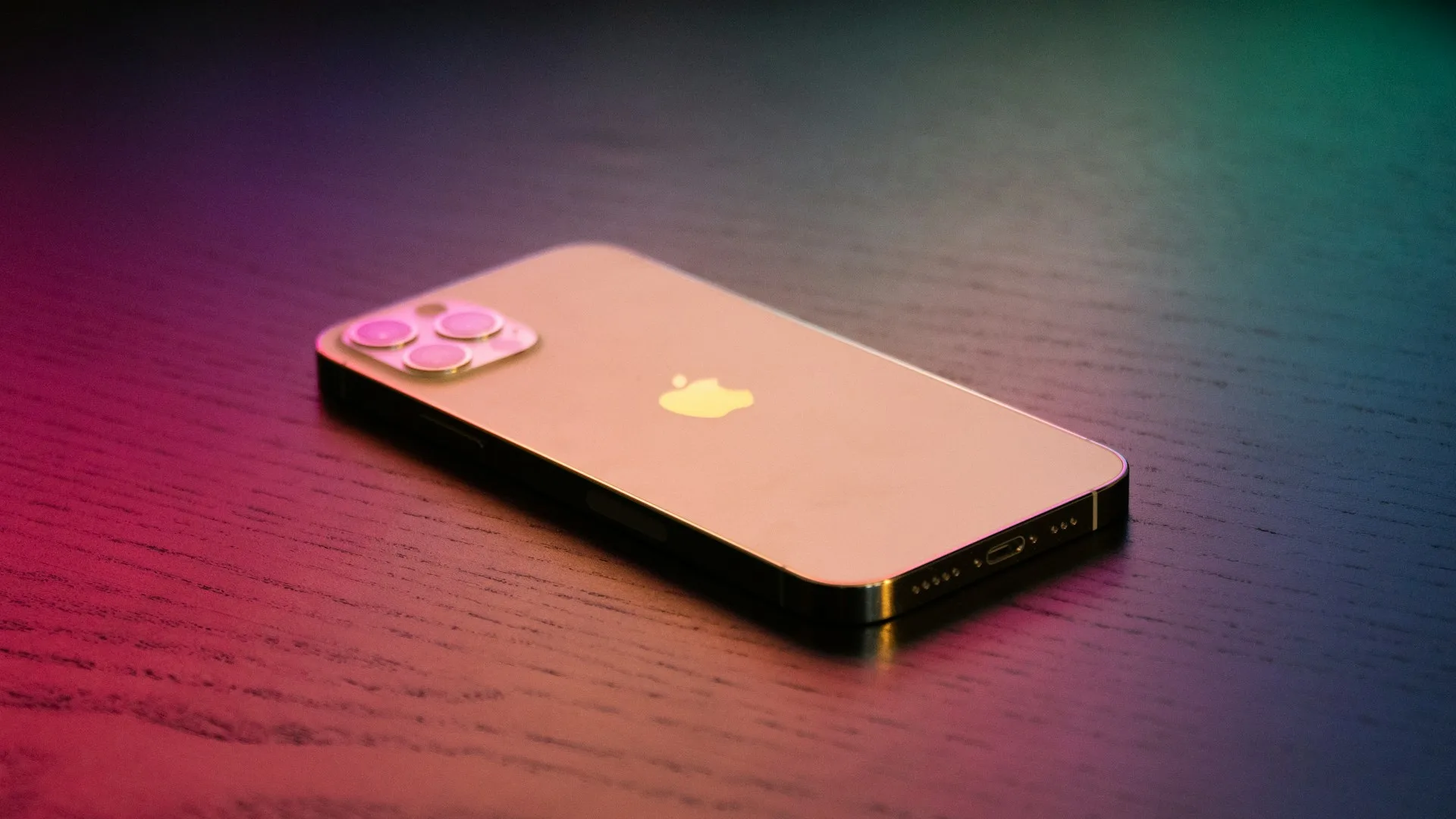
Quick Answer (TL;DR)
Yes — you can track snoring on iPhone without Apple Watch. Apps like Snollo use the iPhone’s built-in microphone to classify snoring and breathing sounds on-device, and the microphone together with the iPhone’s motion sensors to estimate sleep duration and sleep stages. Apple Watch adds heart rate, heart rate variability (HRV), and blood oxygen data that improve sleep stage accuracy, but none of those are required for snore detection.
Here is exactly how iPhone-only snore tracking works, what you gain by adding an Apple Watch later, and the best setup for accurate results without a Watch.
Key Takeaways
- iPhone microphone alone is sufficient for snore detection. Research on smartphone-based snoring classifiers reports overall accuracy around 95% compared with manual review, with high specificity for identifying true snoring events.12
- Sleep stages without a Watch. Snollo estimates Light, Deep and REM sleep from the iPhone’s microphone and motion sensors when no Watch is present. Only an overnight sleep study (polysomnography), which records brain waves (EEG), eye movements (EOG) and muscle tone (EMG), measures stages directly (NHLBI). Wrist-worn accelerometers show high sensitivity for detecting sleep versus wake, but accuracy for individual sleep stage classification is moderate without additional physiological signals.3
- What you miss without a Watch. Heart rate, HRV, blood oxygen (SpO2), and breathing-rate charts are Apple Watch sensor streams; Snollo reads them from Apple Health when a Watch is paired, but there is no software workaround for the underlying hardware.
- Placement matters more without a Watch. The iPhone should be on the bed near your head so the microphone can clearly pick up snoring and breathing sounds.
- Privacy is the same. All audio processing happens on-device whether or not you wear an Apple Watch.
- Snore tracking apps are not diagnostic tools. A proper diagnosis of obstructive sleep apnea requires a sleep study (polysomnography or home sleep apnea test) ordered by a physician.45
How iPhone Snore Detection Works Without Apple Watch
When you sleep without an Apple Watch, Snollo relies on two iPhone sensors:
1. The iPhone microphone This is the primary data source. Snollo’s on-device model listens continuously while you sleep and classifies sounds in real time:
- Snoring (with intensity levels)
- Breathing patterns
- Coughing
- Sleep talking
Raw audio is never saved to disk or sent to a server. The model processes audio in-memory and stores only the classified event metadata — timestamps, sound type, intensity — to your private iCloud.
Smartphone microphone-based snoring classifiers have been validated against manual expert review. One published study found 95% overall accuracy, 78% sensitivity, and 97% specificity for a consumer smartphone app.1 A separate study of a different app reported 95.2% accuracy and 86.3% sensitivity across a wide range of snoring rates.2
2. The iPhone accelerometer (motion sensor) When no Apple Watch is connected, Snollo combines your iPhone’s built-in accelerometer with what the microphone hears to estimate sleep. Movement patterns during the night — turning over, restless periods, still phases — together with overnight sound help estimate light, deep, and REM sleep. That’s why both Microphone and Motion & Fitness permissions are needed for stages, and why the phone belongs on the bed.
Research on accelerometer-based sleep monitoring finds high sensitivity for detecting sleep versus wakefulness, but more limited accuracy for distinguishing individual sleep stages; adding heart rate or other physiological signals improves stage classification.3 This approach produces useful trend data: patterns across multiple nights (such as frequently disrupted sleep on heavy-snoring nights) are meaningful even when exact stage percentages carry uncertainty.
Sleep Stages: A Brief Primer
The NHLBI describes sleep as cycling through two main phases: non-REM (NREM) sleep — with stages 1, 2, and 3 (deep or slow-wave sleep) — and REM sleep. Deep sleep is associated with physical recovery; REM sleep is associated with cognitive functions such as memory and learning.67 Wrist sensors (heart rate, motion) improve stage classification, but no consumer device — Watch or phone — matches clinical polysomnography for precision.
What You Do Get (Without Apple Watch)
| Feature | iPhone Only |
|---|---|
| Snore detection and classification | Full |
| Listen-back audio clips | Full |
| Sound event timeline | Full |
| Sleep stage estimates (Light/Deep/REM) | From iPhone microphone + motion sensor |
| Sleep quality score | Full |
| Snoring intensity graphs | Full |
| Weekly snoring trends | Full |
What You Don’t Get Without Apple Watch
| Feature | Requires Apple Watch |
|---|---|
| Heart rate chart | Apple Watch sensors only |
| HRV (Heart Rate Variability) | Apple Watch sensors only |
| Blood oxygen (SpO2) | Apple Watch sensors only |
| Breathing rate chart | Apple Watch sensors only |
| More accurate sleep stage classification | Improved with Watch |
These are Apple Health data streams that require the Watch’s optical heart rate sensor and wrist accelerometer. Snollo reads them from Apple Health when the Watch writes them — there is no workaround for the underlying hardware.
If you decide to add an Apple Watch later, Snollo automatically detects it and upgrades those charts without any configuration change.
The Right iPhone Placement for Snore Tracking
Placement is the most important setup decision when you’re not wearing an Apple Watch. The microphone needs a clear path to your breath and snore sounds.
Best positions:
- On the mattress, beside your pillow — highest sensitivity, clearest audio. Use a silicone case to reduce vibration from the mattress.
- On the nightstand, as close as possible — works well within 1–2 feet. Face-down reduces ambient room noise.
- On a low bedside stand pointing toward the bed — good balance of distance and positioning.
Avoid:
- Across the room or on a dresser — audio pickup drops sharply beyond 3 feet
- Under the pillow — muffles sound and generates constant friction noise
- On the floor — distance plus surface noise degrades detection
With Apple Watch, placement is less critical because the Watch handles the primary physiological data. The iPhone can stay on the nightstand even if it is farther away; the mic still captures snoring but the core sleep stage data comes from your wrist.
Step-by-Step Setup: iPhone Only
Setting up takes under two minutes:
- Download Snollo from the App Store — free, uses the Apple ID you already have.
- Grant permissions when prompted: Microphone (required for snore detection) and Motion & Fitness (required for sleep stage estimation without a Watch). Without both, some features won’t run.
- Place your iPhone on the mattress near your head.
- Plug in your charger to offset overnight battery use (typically 10–15% drain).
- Tap Start before bed — Snollo does not auto-start. Nothing is recorded until you tap Start.
- Check your results in the morning — snore events, listen-back clips, sleep stages, and your quality score are ready when you wake up.
For more on placement and setup tips, see the full Snollo setup guide.
Does Privacy Change Without Apple Watch?
No. Snollo’s on-device processing model is the same regardless of whether an Apple Watch is paired. All audio captured by the iPhone microphone is:
- Processed in real time by the on-device model in device memory
- Never written to disk as raw audio
- Never transmitted to any external server
- Stored as classified metadata (timestamps, event type, intensity) in your own iCloud, under your Apple ID
Adding Apple Watch only adds new data streams from Apple Health — it does not change how audio is handled.
For a comparison of how Snollo’s privacy compares to SnoreLab, Sleep Cycle, and Pillow, see the snore detection app privacy breakdown.
Can You Detect Sleep Apnea Without Apple Watch?
Snollo is a sleep tracking and snore detection app, not a medical diagnostic tool. That applies with or without an Apple Watch.
What iPhone-only tracking can tell you: whether you snore heavily, how frequently snoring events occur, what time of night they cluster, and how snoring correlates with your estimated sleep stages.
If your snoring data shows intense, frequent events every night — especially if you experience excessive daytime sleepiness, morning headaches, or other symptoms listed by NHLBI — that pattern is worth discussing with a doctor or sleep specialist. According to the American Academy of Sleep Medicine, a proper sleep apnea diagnosis requires an in-lab polysomnography or a physician-ordered home sleep apnea test.45 Consumer tracking apps and questionnaires alone should not be used to diagnose sleep apnea.4
For more on using sleep tracking data to assess sleep apnea risk, see how to know if you have sleep apnea without a sleep study.
Comparing iPhone-Only vs Apple Watch Sleep Tracking
| Metric | iPhone Only | With Apple Watch |
|---|---|---|
| Snore detection accuracy | High | High (same model) |
| Sleep stage accuracy | Moderate (microphone + motion sensor) | Higher (HR + HRV + motion) |
| Heart rate data | None | Full nightly chart |
| Blood oxygen | None | Full nightly chart |
| iPhone placement required | Near the bed | Anywhere in room |
| Battery impact | 10–15% drain | 10–15% drain (same) |
| Privacy | Identical | Identical |
The snore detection quality is identical with or without Apple Watch — the audio classifier is the same. The key difference is sleep stage accuracy and the availability of physiological charts. If you primarily want to understand your snoring, iPhone-only tracking is fully sufficient. (Still picking an app? Compare the sleep trackers with a genuinely free tier first.)
Sources
Footnotes
-
Pevernagie D et al. “Validation of snoring detection using a smartphone app.” Journal of Sleep Research. 2021. PMC8857100 ↩ ↩2
-
Schöbel C et al. “Accuracy of Smartphone-Mediated Snore Detection in a Simulated Real-World Setting.” JMIR Formative Research. 2025. PMC11970566 ↩ ↩2
-
Galland B et al. “Sleep Measurement Using Wrist-Worn Accelerometer Data Compared with Polysomnography.” Clocks & Sleep. 2022. PMC9269695 ↩ ↩2
-
Kapur VK et al. “Clinical Practice Guideline for Diagnostic Testing for Adult Obstructive Sleep Apnea.” Journal of Clinical Sleep Medicine / AASM. 2017. PMC5337595 ↩ ↩2 ↩3
-
MedlinePlus. “Polysomnography.” National Library of Medicine. medlineplus.gov/ency/article/003932.htm ↩ ↩2
-
NHLBI. “How Sleep Works — Sleep Phases and Stages.” National Heart, Lung, and Blood Institute. nhlbi.nih.gov/health/sleep/stages-of-sleep ↩
-
StatPearls. “Physiology, Sleep Stages.” NCBI Bookshelf, NIH. ncbi.nlm.nih.gov/books/NBK526132 ↩
Frequently asked questions
Can iPhone track snoring without Apple Watch?
Yes. iPhone can track snoring without Apple Watch using the built-in microphone. Apps like Snollo classify audio on-device in real time — snoring, breathing, coughing, and sleep talking — all night long. Apple Watch improves sleep stage accuracy but is not required for snore detection.
How accurate is iPhone snore detection without Apple Watch?
Snollo's on-device classifier identifies snoring sounds using the iPhone microphone alone. You get snore events, intensity, timestamps, and listen-back clips each morning. Without Apple Watch, sleep stages are estimated from the iPhone's microphone and motion sensors rather than heart rate — useful for duration, stage and quality trends, but less accurate than wrist sensors.
Where should I put my iPhone to track snoring without a Watch?
Without Apple Watch, place your iPhone on the bed near you — on the mattress within 1–2 feet of your head, so both the microphone and the motion sensors can pick you up. The microphone needs to be in range to pick up snoring and breathing sounds clearly. With Apple Watch, the iPhone can stay on the nightstand since the Watch handles motion and heart rate.
Does iPhone snoring detection work with the screen off?
Yes. Snollo records and classifies audio all night with the screen off. iOS background audio recording keeps the app active while you sleep. You can also charge your iPhone overnight to offset the typical 10–15% battery drain from continuous microphone use.
What's the best iPhone app for snoring without Apple Watch?
Snollo is a strong iPhone snoring app for use without Apple Watch because it classifies all audio on-device — bedroom sound stays on your iPhone, and only event metadata and the clips you save go to your own iCloud. It classifies snoring, breathing, coughing, and sleep talking in real time, shows a sound event timeline, and infers sleep duration and quality from iPhone motion sensors. Free to download; uses your existing Apple ID — no separate Snollo account.
Does Snollo work on iPhone only without any Apple Watch?
Yes — Snollo is designed to work with iPhone only. Apple Watch makes sleep stages most accurate and adds heart rate, HRV, and SpO2, but every core feature (snore detection, audio classification, approximate sleep stage estimation with the iPhone on the mattress, listen-back clips) works with just your iPhone. Grant Microphone and Motion & Fitness permissions when the app asks so sleep stage detection can run without wrist sensors.
Sources
- Sleep Study — MedlinePlus Medical Test — MedlinePlus / National Library of Medicine
- Polysomnography — MedlinePlus Medical Encyclopedia — MedlinePlus / National Library of Medicine
- Sleep Apnea — Symptoms | NHLBI, NIH — NHLBI / NIH
- Sleep Apnea — What Is Sleep Apnea? | NHLBI, NIH — NHLBI / NIH
- How Sleep Works — Sleep Phases and Stages | NHLBI, NIH — NHLBI / NIH
- Sleep Studies — National Heart, Lung, and Blood Institute
- Snoring — MedlinePlus — National Library of Medicine (NIH)
- Physiology, Sleep Stages (StatPearls) — NCBI Bookshelf, NIH
- Clinical Practice Guideline for Diagnostic Testing for Adult Obstructive Sleep Apnea (AASM) — PMC — PubMed Central / AASM
- Sleep Measurement Using Wrist-Worn Accelerometer Data Compared with Polysomnography — PMC — PubMed Central
- Validation of snoring detection using a smartphone app — PMC — PubMed Central
- Accuracy of Smartphone-Mediated Snore Detection in a Simulated Real-World Setting — PMC — PubMed Central / JMIR Formative Research